ThinkGearNET Library

mindset I have written and posted a new library that allows .NET developers to easily connect to and use the Neurosky MindSet headset from any .NET application.  You can find the source code and a binary of the library at CodePlex.  Usage is very simple and may seem familiar to those that have used my .NET Wiimote LIbrary; set a reference to the library and you can connect to a headset as follows:

private ThinkGearWrapper _thinkGearWrapper = new ThinkGearWrapper();
 
private void Connect()
{
    _thinkGearWrapper = new ThinkGearWrapper();
    
    // setup the event
    _thinkGearWrapper.ThinkGearChanged += _thinkGearWrapper_ThinkGearChanged;
    
    // connect to the device on the specified COM port at 57600 baud
    _thinkGearWrapper.Connect("COM4", 57600, true);
}
 
void _thinkGearWrapper_ThinkGearChanged(object sender, ThinkGearChangedEventArgs e)
{
    // write out one of the many properties
    Debug.WriteLine("Attention: " + e.ThinkGearState.Attention;
}

The download includes a test application with source code that shows how to use the library in any .NET application.  You can see a more advanced usage example by taking a look at my MindBlaster article or reading through its source code.

Read More

MindBlaster Article Posted

mindblaster My latest Coding4Fun article on the creation of my game MindBlaster is now available!  This is a game I wrote using XNA Game Studio 3.1 that combines a Nintendo Wiimote and a Neurosky MindSet headset to create a game you play entirely with your head.  If you were at PDC09 and stopped by the Coding4Fun area you may have seen it, or, if you’ll be at MIX10, please stop by the Coding4Fun area and see this and 3 or 4 more even better projects by Coding4Fun authors.

Links

Read More

MIX10, Coding4Fun Show, and You!

c9logo I will be at MIX10 showing off MindBlaster once again.  More on that shortly…

But, more importantly, are you going to MIX10?  Do you have a fun or interesting project you’d like to talk about?  Let me know!  I’m looking for people to interview for the Coding4Fun Show.  I’m always interested in talking to people who want to chat about what they’re working on, even if it’s just a hobby or something that’s incomplete.  That’s what Coding4Fun is all about!  So please, if you’ll be at the MIX, have a few minutes to chat, and want to be the envy of your friends, contact me!

Read More

Acer 1420P Leaky Handle Driver Fix

Download: SDTabletPCFix_1.0.0.0.zip

acer 1420p

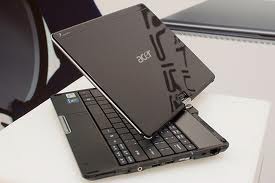
I wasn’t lucky enough to receive the Acer 1420P laptop given out at PDC this year since I was “staff”, however I wound up picking one up on eBay for a very reasonable price. I received it last week, added an additional 2GB of RAM, used my Windows Home Server to save off the original hard drive image, and then repaved the machine, installing Windows 7 Ultimate x64, drivers, and applications from scratch. Earlier this week I noticed the machine was consuming over 3GB of memory with only 1 or 2 applications open. Looking at Task Manager, the RAM usage by process looked normal, which didn’t match the total memory usage. After reading the Performance tab a bit more, I saw that the operating system had over 5 million handles open!

Back on the Processes tab, I turned on the Handles column and saw that a process named SDTabletPC.exe was consuming 5 million handles, and it was growing by 10 handles per second. Check it out for yourself.

Read More

Multi-touch Madness Slides and Code

image

Thanks to everyone who attended my TVUG session last night!  I have uploaded the slides and code for this session which can be downloaded here.  Note that you’ll need Visual Studio 2010 Beta 2 for most of the samples, and you will need to have the Surface Workstation SDK SP1 installed if you wish to run that sample.

Comments and questions are welcome, as always.  Thanks!

Read More