VSLive! Orlando

vslive Anyone out there heading to VSLive! Orlando this week?  I will be giving two introductory sessions on Silverlight as listed below:

Getting Started with Silverlight
Tuesday, October 6, 10:30am

Microsoft Silverlight allows developers and designers to build rich cross-browser and cross-platform applications for the Web using the same tools and technologies that are familiar to .NET developers.  This session will cover the basics of Silverlight, including basic XAML, the tools that can be used to create Silverlight applications, the controls available in the Silverlight framework, and pros and cons of Silverlight vs. other web technologies, all while building a few very simple applications demonstrating the power of the framework.

Silverlight Controls and Animations
Tuesday, October 6, 12:00pm

The Microsoft Silverlight framework contains an assortment of pre-built controls that can be used directly by your applications.  Developers can also create their own custom controls to fit their requirements.  In addition, Silverlight can be used to create animations that are simple or extremely complex, from pulsing buttons to 3D movement.  This session will demonstrate how to use the most common and important controls, as well as how to create custom user controls, along with demonstrating how XAML, Visual Studio and Expression Blend can be used to create animations that will spice up any application.

Read More

The Coding4Fun Show – Ep 3 with Rick Barraza

c9logo The third episode of my Coding4Fun Show, live from Las Vegas, is now up on Channel 9.  In this episode I interview Rick Barraza of Cynergy Systems, who has put together several very unique applications and accompanying tutorials demonstrating advanced rendering techniques using Silverlight 3.  During the show, we discuss Silverlight 3, UX design, and the three demos he has created showing off advanced rendering techniques.  For more on how these amazing demos were made, check out his (currently) three part series at his blog:

You should see the video below if you have Silverlight installed, otherwise head over to the episode on Channel 9 to watch and download in a variety of formats for offline viewing.


The Coding4Fun Show: Advanced Rendering with Silverlight, Rick Barraza


Read More

Anyone in Vegas for C4F Show Interview?

logo Is there anyone in or around the Las Vegas area between September 7th and September 12th that would like to be my guest for an episode of the Coding4Fun Show?  I’ll be in the area for the week and would love to do an in-person show with anyone doing a cool project with Microsoft technologies.  If you’re interested, please contact me so we can set something up.  Maybe you’ll even get a free lunch out of it.  :)  Thanks!

Read More

The Coding4Fun Show – Ep 2 with Arian Kulp

logo The second episode of my Coding4Fun Show is now up on Channel 9.  In this episode of the Coding4Fun Show, I interview Arian Kulp, creator of the MEF Utility Runner, a unified host for system tray utility applications.  Learn a bit about MEF and how it can be leveraged to create a plugin architecture for any application, as well as how it was used to create the MEF Utility runner, and how you can write your own plugins for this application.

You should see the video below if you have Silverlight installed, otherwise head over to the episode on Channel 9 to watch and download in a variety of formats for offline viewing.


The Coding4Fun Show: MEF Utility Runner with Arian Kulp

Enjoy!

Read More

WiimoteLib 1.8 Beta 1 Posted

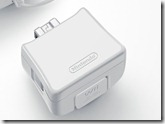
image I have posted a new version of WiimoteLib as a beta for people to play around with the Wii MotionPlus accessory.  Please note that this is not a stable release and should only be used if you wish to mess around with the MotionPlus.  Also note that only C# source code is included in this release as it is not a final build.  Here’s the change log:

v1.8.0.0

  • Taiko Drum Master's TaTaCon drum controller supported (Dean Herbert)
  • Bare-bones Wii MotionPlus support (wiibrew.org, testing by Tyler Tolley)
  • WiimoteTest UI changed to add MotionPlus data
    • Please note that the current version is VERY flakey and may not work at all for you.
    • Pair your Wiimote, plug in your MotionPlus, call InitializeMotionPlus()
    • Extensions plugged into the MotionPlus will give wacky results...not supported...yet!
    • Internal changes to perhaps fix some threading issues

So remember, it’s a beta, it may not work for you, and the data you’ll get back from the accessory is just the raw data it provides.  You won’t get real orientation values.

Read More